Birthday and Anniversary Reminders - EZ Address Book Software
| Home | Features and FAQ | Order and Download | Testimonials | FREE Trial | Watch Demos |
|
EZ Home and Office Address Book
v10.0
$29.95
Home >
Features >
Birthdays and Anniversaries
|





 Never forget birthdays and anniversaries again.
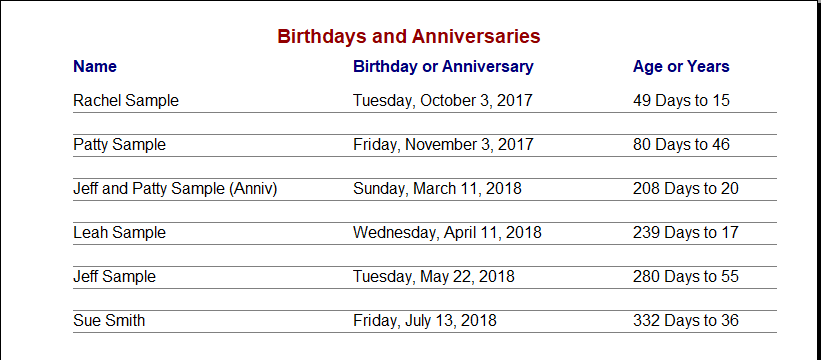
There's a printable Birthday and Anniversary Report that shows the name, date, age or years, and the
number of days to the next birthday or anniversary so you always know when one is coming up. There's
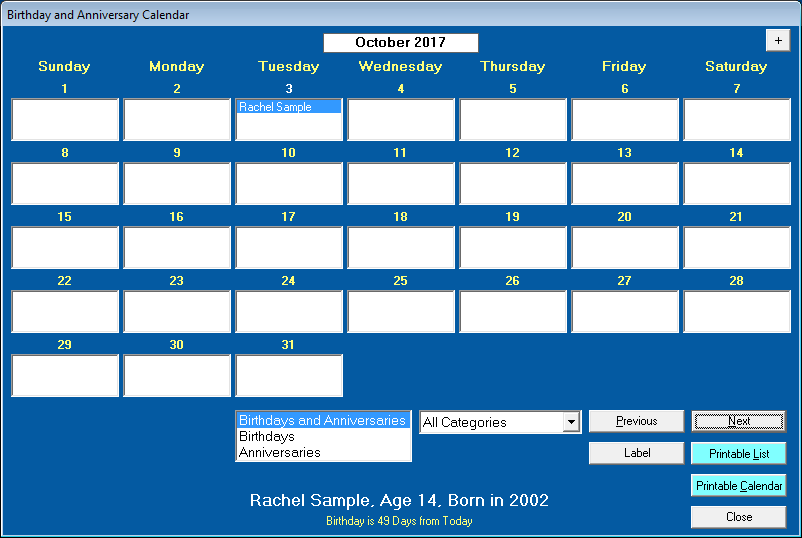
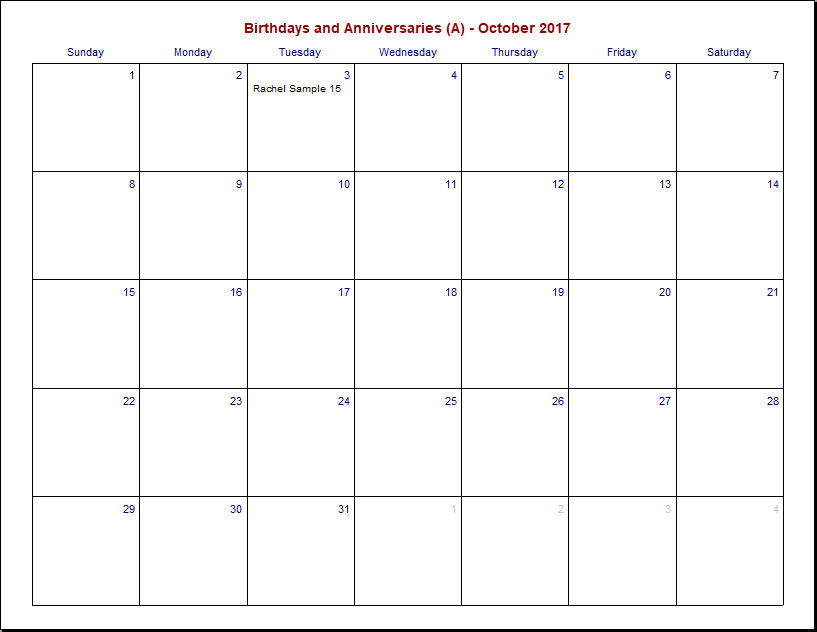
also a Birthday and Anniversary Calendar and a printable calendar. In Options you can set a reminder day range from 0 to 99
so automatic birthday and anniversary reminders are displayed when the program starts. Consider
adding EZ Home and Office to your Windows Startup folder so when you start your computer, EZ will
start and show the Birthday and Anniversary Reminders screen. See Windows Help on how to add
a program to the Startup folder. The printable report and calendar can also be exported
to a PDF file and the file can be shared with other computers and smart devices by using Dropbox.
Never forget birthdays and anniversaries again.
There's a printable Birthday and Anniversary Report that shows the name, date, age or years, and the
number of days to the next birthday or anniversary so you always know when one is coming up. There's
also a Birthday and Anniversary Calendar and a printable calendar. In Options you can set a reminder day range from 0 to 99
so automatic birthday and anniversary reminders are displayed when the program starts. Consider
adding EZ Home and Office to your Windows Startup folder so when you start your computer, EZ will
start and show the Birthday and Anniversary Reminders screen. See Windows Help on how to add
a program to the Startup folder. The printable report and calendar can also be exported
to a PDF file and the file can be shared with other computers and smart devices by using Dropbox.
Birthday and Anniversary Calendar
Printable Birthday and Anniversary Calendar
Printable Birthday and Anniversary Report
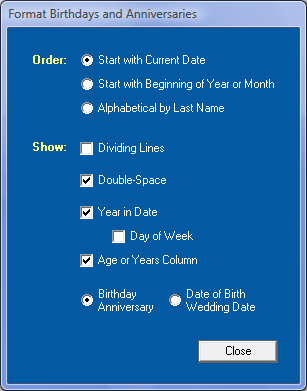
Format Birthday and Anniversary Report
Birthday and Anniversary Reminders Screen
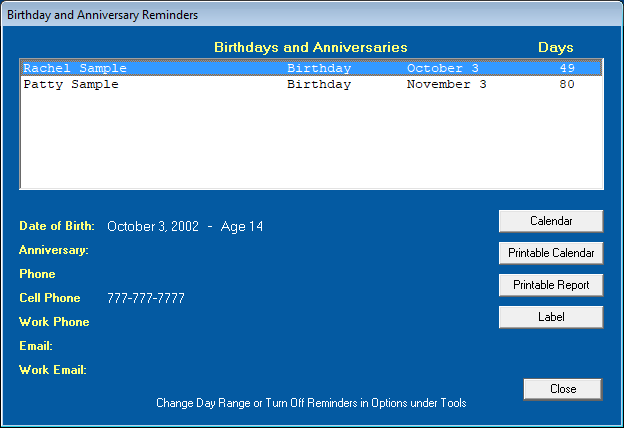
When the program starts, the Birthday and Anniversary Reminders Screen is displayed if any birthdays or anniversaries are within the Day Range set in Options. If the Day Range set in Options is zero, the reminders screen will not be displayed. Click 'Calendar' to display the Birthday and Anniversary Calendar, click 'Printable Calendar' to display the Printable Birthday and Anniversary Calendar, click 'Printable Report' to display the Birthdays and Anniversaries printable report, or click 'Label' to print a label for the selected name. Click on an email address to start an email.
Consider adding EZ Home and Office to your Windows Startup folder so when you start your computer, EZ will start and show the Birthday and Anniversary Reminders. See Windows Help on how to add a program to the Startup folder.
ElwoodSoftware.com has a Shopper Approved Rating of 4.9 out of 5 based on 718 Ratings and Reviews
Copyright © 2023 Elwood Software.
All Rights Reserved.
Your Privacy is Always Protected.
Elwood Software, 21539 Brixham Run Loop, Estero, FL 33928
Support@ElwoodSoftware.com